Enter product details (such as color, size, materials etc.) and other specific requirements to receive an accurate quote.

leave a message

If you are interested in our products and want to know more details,please leave a message here,we will reply you as soon as we can.
submit
other

Blog

Home

Blog

  • How to Restart a Stone CNC Machine After Long-Term Downtime Without Damaging It
    How to Restart a Stone CNC Machine After Long-Term Downtime Without Damaging It
    Aug 03, 2026
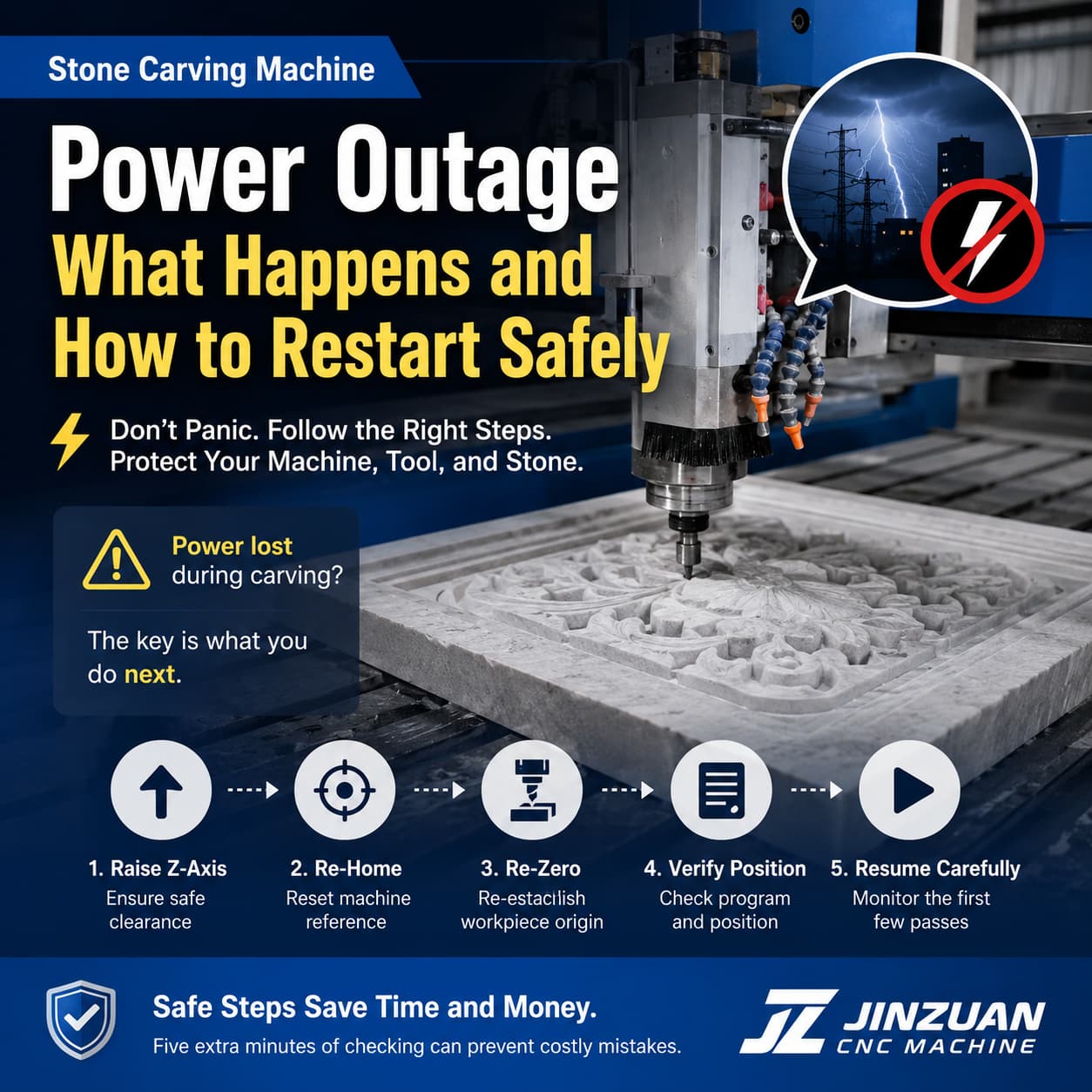
    A durable stone carving machine is built for continuous industrial production, but there are times when it has to sit idle—during holidays, factory relocation, seasonal demand changes, or overseas transportation.   Many operators make the same mistake: they switch the machine on and immediately begin machining. Unfortunately, that's one of the fastest ways to shorten the life of expensive components such as the spindle, linear guides, ball screws, pumps, and electronic control system.   In this guide, we'll explain what happens to a machine during long periods of inactivity, the five essential inspections before restarting, and several maintenance tips that can help prevent costly downtime.   Why Is Restarting an Idle CNC Machine Different? A machine that hasn't operated for several weeks isn't in the same condition as one that was running yesterday.   During downtime: Lubricating oil gradually drains away or thickens. Cooling water becomes contaminated. Dust accumulates inside electrical cabinets. Moisture may condense on electronic components. Bearings and guide rails remain stationary for long periods. Rubber seals begin to harden. None of these problems may be visible from the outside, but together they can seriously affect machining accuracy and machine reliability. Instead of assuming everything is normal, spend a few minutes inspecting the machine before production starts.   Five Essential Checks Before Restarting 1. Clean Dust from the Entire Machine Dust is more than a cosmetic issue. Stone dust is extremely fine and often mixes with moisture, creating conductive deposits that may affect electrical components.   Pay particular attention to: Control cabinet interior Driver heat sinks PLC and control boards Limit switches Cable connectors Sensor surfaces Use clean compressed air or a soft vacuum designed for electrical equipment. Avoid using excessive air pressure directly on sensitive circuit boards.   2. Replace the Cooling Water If your water chiller has been idle for weeks, the coolant should be replaced before operation.   Old water can contain: Bacteria Algae Mineral deposits Suspended particles These contaminants reduce cooling efficiency and may eventually clog the spindle cooling system.   For best results: Drain the old water completely. Flush the system if necessary. Refill with purified water or the recommended coolant. Check the water pump for proper circulation. Avoid untreated tap water whenever possible, especially in regions with hard water.   3. Relubricate Guide Rails and Ball Screws Lubrication is critical for motion accuracy. After weeks of inactivity, the oil film protecting guide rails and ball screws may no longer provide sufficient lubrication.   Before machining: Apply fresh lubricant. Move each axis slowly across its full travel. Allow lubricant to spread evenly. Verify that automatic lubrication systems are functioning correctly. Running dry guide rails—even for only a few minutes—can accelerate wear and reduce positioning accuracy.   4. Power On and Inspect the Control System Once mechanical maintenance is complete, power up the machine carefully instead of immediately loading a machining program.   Check: Servo driver status Alarm messages Axis reference positions Emergency stop button Limit switch indicators Cooling fan operation Air pressure (if applicable) If any alarm appears, identify and solve the problem before continuing. A quick inspection now can prevent much larger failures later.   5. Perform a Warm-Up Run Even if everything appears normal, avoid starting production immediately.   Instead: Jog every axis slowly. Run a simple test program. Operate the spindle at low speed first. Gradually increase spindle speed. Observe vibration and machine movement. Listen carefully for unusual noises. This warm-up process allows bearings, lubrication, and mechanical components to return to normal operating conditions. If anything sounds unusual, stop immediately and investigate before continuing production.   Recommended Restart Checklist Inspection Item What to Check Recommended Action Machine Cleaning Dust, debris, electrical cabinet Clean thoroughly before power-on Cooling System Water quality and circulation Replace coolant and inspect pump Lubrication Rails, ball screws, lubrication pump Add fresh lubricant and test movement Electrical System Alarms, limit switches, emergency stop Verify normal operation Motion Test Axis movement and spindle rotation Warm up for 5–10 minutes before machining       How Long Can a CNC Stone Machine Sit Idle? There isn't a universal answer because the environment matters.   Generally speaking: Idle Time Recommended Maintenance Less than 1 week Basic inspection before operation 1–4 weeks Clean, lubricate, replace cooling water More than 1 month Complete restart inspection and warm-up procedure More than 3 months Comprehensive mechanical and electrical inspection before production     Preventive Maintenance Is Better Than Repair If your machine remains idle for an extended period, a little routine maintenance can make a big difference.   Good practices include: Power on the machine once every month. Jog each axis for about 10 minutes. Run the spindle briefly at low speed. Check coolant circulation. Verify the automatic lubrication system. Keep the electrical cabinet dry and sealed. These simple actions help maintain lubrication, reduce moisture accumulation, and keep the electrical system in good condition.   Common Restart Mistakes to Avoid Many machine failures after long downtime are caused by simple oversights.   Avoid these common mistakes: Starting production immediately after power-on Forgetting to replace old cooling water Ignoring lubrication before movement Running the spindle at full speed without warming up Skipping alarm and sensor checks Assuming the machine is fine because it "looks clean" Taking 20–30 minutes for inspection can save hours—or even days—of unexpected downtime.   Conclusion Restarting a industrial stone CNC router after a long idle period isn't simply a matter of pressing the power button. Dust, degraded coolant, dried lubrication, and hidden electrical issues can all affect machining precision and machine lifespan.   By following a structured restart procedure—cleaning the machine, replacing coolant, relubricating moving parts, inspecting the control system, and performing a proper warm-up—you can reduce the risk of costly breakdowns and ensure the machine returns to production safely.   For manufacturers that rely on consistent precision and reliable uptime, a careful restart routine is one of the simplest and most cost-effective maintenance practices.
    Read More
  • How CNC Stone Carving Machines Create Toolpaths: From Design to Precision Carving
    How CNC Stone Carving Machines Create Toolpaths: From Design to Precision Carving
    Jul 28, 2026
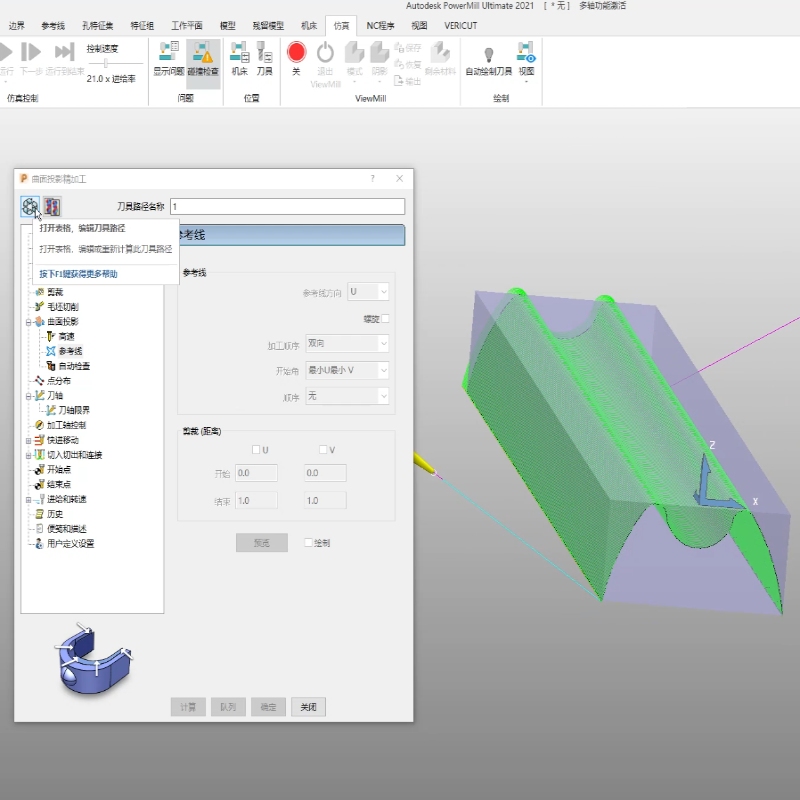
    Many first-time CNC stone machine buyers ask the same question:  "How does the machine know where to carve?"   The answer is simple: the machine doesn't think by itself. Every movement comes from a toolpath created by CAD/CAM software before machining begins.   A toolpath is essentially a detailed set of instructions that tells the CNC machine: Where to start Which direction to move How deep to cut Which tool to use When the carving is finished Without a correctly generated toolpath, even the most advanced CNC stone carving machine cannot produce accurate results.   This article explains how a stone carving toolpath is created, what information it contains, and why choosing the correct cutting tool is just as important as the design itself.   What Is a CNC Toolpath? Think of a toolpath as a GPS navigation system for your CNC machine. Just as GPS guides a driver turn by turn, a toolpath guides the spindle point by point.   Instead of saying "Turn left in 100 meters," it tells the machine things like: Move to X150 Y300 Lower the tool to Z-5 mm Follow this curve Raise the tool Move to the next carving area Every motion of the spindle is already planned before machining starts. The controller simply follows these instructions with high precision.   The Complete Toolpath Creation Process Creating a stone carving toolpath usually involves five major steps.   Step 1 — Import or Create the Design Everything begins with the artwork.   Depending on your project, you can: Import a photo Scan an existing drawing Create artwork manually Design a relief model in JDpaint For relief carving, the software converts the image into a grayscale height model.   Generally speaking: Dark areas become deeper carving Light areas remain higher Gray levels create smooth transitions This height information becomes the basis for the machining path.   Step 2 — Select the Correct Cutting Tool The software must know exactly which tool will be installed on the machine.   Typical stone carving tools include: Flat End Mill Ball Nose Cutter V-Bit Diamond Stone Tool   Important parameters include: Tool diameter Tool type Tool length Cutting angle (if applicable) If the software assumes a 6 mm ball nose cutter while the machine actually uses a 10 mm flat tool, the finished carving will not match the design. One incorrect parameter can affect the entire project.   Step 3 — Generate the Toolpath Once the design and tool information are ready, the CAM software calculates the machining path automatically.   During calculation, the software determines: Tool movement direction Step-over distance Cutting depth Machining sequence Safe travel height The generated toolpath appears as hundreds—or even thousands—of lines. Each line represents one movement of the cutting tool.   Generally: Smaller step-over = smoother surface Larger step-over = faster machining More toolpath lines = higher detail but longer production time Finding the right balance depends on the material and required finish quality.   Step 4 — Export the Toolpath After verification, the machining data is exported. Many stone CNC machines using the NcStudio control system save machining programs in ENG format.   The workflow is straightforward: Save the ENG file Copy it to a USB drive Insert the USB into the CNC controller Load the file Start machining At this point, the controller has everything it needs to execute the job.   Step 5 — Execute the Carving When machining begins, the CNC controller reads every instruction inside the ENG file.   The spindle follows the programmed coordinates precisely while maintaining the specified cutting depth.   The operator monitors the process and can adjust cutting conditions if necessary.   Although the path itself is fixed, machining parameters can still be optimized during production.   What Information Does an ENG Toolpath File Contain? An ENG machining file stores much more than simple coordinates.   Typical information includes: Data Purpose X/Y coordinates Tool movement position Z-axis depth Cutting depth Machining sequence Order of operations Safe height Collision avoidance Feed instructions Tool movement control Unlike the design drawing, the ENG file tells the machine how to manufacture the design, not just what it should look like.   Where Are Feed Rate and Spindle Speed Set? Many beginners assume these values are permanently stored inside the toolpath. In reality, experienced operators often adjust them during machining.   The NcStudio controller allows real-time adjustment through override controls.   Typical operating principles include: Material or Operation Recommended Adjustment Granite Lower feed rate, stable cutting Marble Medium feed rate Sandstone Higher feed rate Roughing Faster feed Finishing Slower feed for better surface quality The best settings depend on: Stone hardness Tool condition Spindle power Cooling performance Surface finish requirements Experienced operators listen to the cutting sound and observe chip removal, making small adjustments as needed.   Common Toolpath Mistakes Beginners Make Many machining problems originate before the machine even starts.   The most common mistakes include: Selecting the wrong tool diameter Forgetting to update tool information Setting incorrect workpiece thickness Choosing excessive cutting depth Using finishing parameters for rough machining Skipping toolpath simulation before machining Most of these issues can be avoided with a careful pre-machining inspection.   Toolpath Creation Workflow Step Operation Purpose Step 1 Import or Create the Design Prepare the carving model from a photo, drawing, or 3D file. Step 2 Select the Cutting Tool Match the software settings with the actual cutter installed on the machine. Step 3 Generate the Toolpath Calculate every movement, cutting depth, and machining path. Step 4 Export the ENG File Save the toolpath as an ENG file and copy it to a USB drive. Step 5 Load into the Controller Open the file in the Weihong system and begin machining.   Final Thoughts A CNC stone carving machine is only as accurate as the toolpath it follows.   Creating a high-quality toolpath requires more than simply importing a design—it involves selecting the correct cutting tool, generating an optimized machining strategy, verifying the output, and adjusting machining parameters based on the material being processed.   Understanding this workflow helps operators reduce errors, improve carving quality, extend tool life, and maximize machine efficiency. Whether you're producing relief panels, sculptures, countertops, or memorial stones, mastering toolpath generation is one of the most valuable skills in CNC stone machining.
    Read More
  • Is a Stone CNC Carving Machine Dangerous? The Real Safety Guide Every Operator Should Read
    Is a Stone CNC Carving Machine Dangerous? The Real Safety Guide Every Operator Should Read
    Jul 21, 2026
    Is a Stone CNC Carving Machine Dangerous? One of the first questions many new buyers ask is:   "Is the machine safe? Could it seriously injure someone?" The honest answer is simple:   A stone CNC carving machine is an industrial cutting machine. It is not a toy. Like any equipment with a high-speed spindle and cutting tools, it has potential risks.   However, modern CNC stone carving machines are designed with multiple safety systems. Under normal operation and with proper training, accidents are extremely rare.   In fact, in most cases, the machine itself isn't the problem—unsafe operating habits are.   This article explains where the real risks come from and how to avoid them.   Every CNC Machine Has Risks—But They're Manageable The spindle of a stone CNC machine typically rotates at 0–24,000 RPM, depending on the material and machining process. At these speeds, the cutting tool can easily process: Granite Marble Quartz Artificial stone Ceramic Bluestone If the machine can cut stone, it can certainly injure a hand that enters the cutting area. That's why professional manufacturers build multiple layers of protection into the machine.   Built-In Safety Features That Protect Operators Most modern stone CNC carving machines include several important safety mechanisms. Safety Feature Purpose Emergency Stop Button Immediately stops machine operation during emergencies Limit Switches Prevent the machine from moving beyond its travel range Protective Covers Reduce dust exposure and prevent accidental contact with moving parts Electrical Protection Helps prevent overloads and electrical faults Stable Machine Frame Minimizes vibration and improves operational stability   The Three Most Common Causes of CNC Accidents Interestingly, machine failures are not the leading cause of injuries.   Most accidents happen because operators ignore basic safety procedures.   1. Wearing Gloves During Machine Operation Many people believe gloves always improve safety. During CNC machining, the opposite can be true. Loose gloves can become caught by rotating tools or spindles and pull a hand toward the cutting area within seconds. Best practice: Never wear loose gloves while the spindle is running.   2. Cleaning Dust Before the Machine Stops Stone machining creates a large amount of dust and chips. Some operators instinctively reach inside to brush away debris while the machine is still moving. Even if the spindle appears slow, it may still be rotating at dangerous speed. Always wait until: The spindle has completely stopped All axes stop moving The controller indicates machining has finished Only then should cleaning begin.   3. Changing Tools Too Early After pressing the Stop button, the spindle may continue rotating because of inertia. Removing a tool before it completely stops can cause: Cuts Flying tools Tool holder damage Always verify that the spindle has fully stopped before changing tools.   Daily Safety Habits That Make a Big Difference Good operators develop habits that prevent accidents long before they happen. Before Starting Check tool tightness. Inspect cooling water flow. Confirm emergency stop button functions properly. Verify workpiece is securely clamped. Remove unnecessary objects from the machine table. During Machining Stay outside the machining area. Never reach into the machine while it is operating. Keep children and unauthorized personnel away. Watch for abnormal vibration or unusual sounds. After Machining Wait for complete spindle stop. Clean chips and dust. Inspect tool wear. Turn off power if the machine will not be used for an extended period.   Why Operator Training Is More Important Than Experience Many people assume experienced workers never make mistakes.   In reality, experienced operators sometimes become overly confident and skip safety steps.   On the other hand, beginners who carefully follow operating procedures often have excellent safety records.   The safest operators are those who consistently follow standard procedures—regardless of how many years they've been working.   Simple Workshop Rules Worth Posting Near Every Machine Printing a small reminder near the CNC machine can help reinforce safe habits. Do Don't Wear safety glasses Wear loose gloves during machining Wait until spindle stops Reach into the machine while it's running Press Emergency Stop if needed Remove guards or safety covers Keep work area clean Distract the operator during machining Follow maintenance schedule Ignore unusual sounds or vibration   Our Safety Support Before Delivery Before every machine leaves our factory, we help customers understand safe operation by providing: Complete machine operation training Safety precautions before startup Tool changing instructions Daily maintenance guidance Operation manuals Remote technical support whenever needed Our goal is not only to deliver a high-performance router machine but also to help every operator use it safely and confidently from day one.   Final Thoughts A safety stone CNC carving machine is a powerful industrial tool. It deserves respect—but it should not be feared.   Modern machines include multiple safety protections, and the overwhelming majority of workplace incidents are caused by unsafe habits rather than equipment defects.   Remember three simple rules: Never wear loose gloves while operating. Never reach into the machine before all movement has stopped. Never change tools until the spindle is completely stationary. Develop these habits from the beginning, and your CNC machine will remain a productive, reliable partner for many years.
    Read More
  • Does Your Stone CNC Machine Support My Language? Everything You Need to Know
    Does Your Stone CNC Machine Support My Language? Everything You Need to Know
    Jul 15, 2026
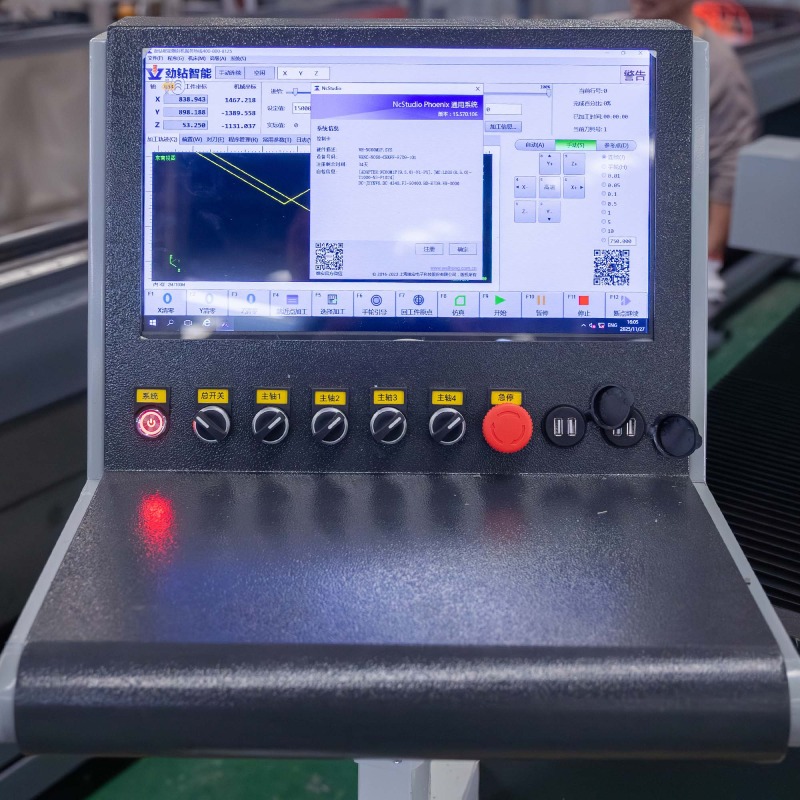
    When purchasing a intelligent stone CNC carving machine from overseas, many buyers focus on spindle power, machining accuracy, or delivery time. However, one practical question often comes up before placing an order:   "Can I operate the machine if I don't speak English or Chinese?"   The good news is yes.   Modern CNC stone carving machines are designed for international users. With multilingual control systems, remote language installation, and complete operation training, language is no longer a barrier to running professional stone processing equipment.   This article explains how language support works, what languages are available, and why operating a CNC machine is much easier than many first-time buyers imagine.   Why Interface Language Matters The machine interface is where operators perform daily tasks such as: Loading machining files Setting work coordinates Adjusting spindle speed Starting or stopping machining Monitoring machine status Editing machining parameters If operators cannot understand the interface, production efficiency decreases and mistakes become more likely. That's why choosing a machine with multilingual support is important, especially for companies with international operators.   Standard Languages Included Our stone CNC carving machines are equipped with the Shanghai Weihong (NcStudio) CNC control system, which is widely used throughout the global stone processing industry. Every machine is shipped with two standard languages already installed. Standard Interface Languages Language Included Notes Chinese Yes Factory default English Yes International standard Users can switch between these languages directly from the control software without reinstalling the system.   Additional Languages Are Available If your operators prefer another language, we can usually install the appropriate language pack before shipment or remotely after installation.   Common supported languages include: Spanish, Russian, French, Arabic, Portuguese, Turkish, Other languages.   If the required language pack is not already installed, our engineers can configure it remotely. You simply tell us your preferred language—we take care of the rest.   Is English Enough? Many first-time buyers worry that they need fluent English to operate the machine. In reality, they don't. Most CNC control interfaces use simple industrial terminology such as: Function Meaning Start Begin machining Stop Stop machining Pause Temporary stop Home Return to machine origin Speed Feed rate adjustment Depth Cutting depth Origin Workpiece zero point Reset Clear alarms Operators usually become familiar with these terms after only a few hours of practice.   Operation Videos Make Learning Easier Language is only one part of machine operation. Before shipment, we provide comprehensive training materials, including: Machine installation videos Daily operation tutorials Tool calibration instructions Maintenance guidance Controller operation demonstrations Sample machining projects Because every step is demonstrated visually, many customers quickly learn the workflow even if they are using English menus for the first time.   Remote Technical Support If you encounter difficulties after installation, our engineers can provide remote assistance. Support includes: Installing additional language packs Controller configuration Parameter adjustment Software setup Troubleshooting alarms Operation guidance Most software-related issues can be resolved remotely without waiting for an engineer to travel.   Why Most Global Customers Choose English Although multilingual interfaces are available, English remains the international standard in the CNC industry. Many software platforms, CAD/CAM programs, technical manuals, and machining tutorials are published in English. Using the English interface also makes it easier to: Watch online training videos Find technical documentation Communicate with international suppliers Learn new CNC functions Fortunately, CNC vocabulary is relatively small, making it easy for beginners to learn.   Frequently Asked Questions Q1. Can I switch languages after installation? Yes. The control system allows language switching without affecting machining data.   Q2. What if my language isn't listed? Contact us before shipment. We will check whether a compatible language pack is available.   Q3. Do I need to install the language myself? No. Our technical team can complete the installation remotely.   Q4. Will changing the language affect machine performance? No. Language settings only change the display interface. Machining accuracy and controller performance remain exactly the same.   Final Thoughts A modern stone CNC carving machine should be accessible to operators around the world—not just English speakers.   With bilingual interfaces, multilingual language packs, remote technical support, and complete training videos, operators can quickly become confident regardless of their native language.   When ordering your machine, simply tell us your preferred language. We'll configure the system so it's ready to use from the moment it arrives.  
    Read More
  • Why Spare Parts Availability Matters More Than Machine Price
    Why Spare Parts Availability Matters More Than Machine Price
    Jul 07, 2026
    Are Stone CNC Machine Spare Parts Easy to Find? Here's the Truth When purchasing a Industrial stone CNC carving machine, many buyers ask a seemingly simple question:      "If something breaks, can I easily buy replacement parts?"   On the surface, this sounds like a question about spare part prices.   In reality, most experienced stone fabricators are asking a much more important question:      "If my machine stops working, how quickly can I get it running again?"   Because in the stone processing industry, downtime is far more expensive than replacement parts.   Why Machine Downtime Costs More Than Spare Parts Imagine you're producing granite memorials, marble sculptures, quartz countertops, or architectural stone panels. Suddenly, a driver fails or a limit switch stops responding. The machine cannot continue production.   What happens next? Production schedules are delayed. Workers are left waiting. Delivery dates are postponed. Customers become dissatisfied. New orders may even be lost. For many stone factories, one day of downtime can cost hundreds or even thousands of dollars, depending on production volume. That is why experienced buyers rarely focus on whether a motor costs $80 or $120. Instead, they ask: "Can I receive the replacement quickly?"   The Most Common Stone CNC Machine Spare Parts Fortunately, most wear parts and electrical components are neither rare nor difficult to replace.   Typical spare parts include: Component Function Replacement Frequency Linear Guide Slider Ensures smooth axis movement Low Servo Motor Controls machine motion Very Low Servo Driver Drives the servo motor Low Frequency Inverter (VFD) Controls spindle speed Low Limit Switch Detects machine travel limits Medium Flexible Cable Power and signal transmission Medium Water Pump Cooling spindle or tools Medium Lubrication Components Protect guide rails and ball screws Medium Emergency Stop Button Safety protection Very Low   Most of these components have long service lives when the machine is maintained properly.   Industry-Standard Parts Make Maintenance Easier One feature buyers should always check before purchasing a machine is whether it uses industry-standard components. Machines built with standard electrical and mechanical parts offer several advantages:   Easy Replacement Standard components are widely available through local industrial suppliers, international distributors, and online marketplaces.   Competitive Pricing Because multiple manufacturers produce compatible components, prices remain reasonable and transparent.   Flexible Purchasing Options You are not locked into buying spare parts exclusively from the original machine supplier. This gives buyers more freedom and reduces long-term maintenance costs.   Why Fast Spare Parts Delivery Matters Even if replacement parts are inexpensive, they are useless if they take several weeks to arrive. Reliable machine suppliers usually maintain inventory of commonly used components, including: Servo motors Servo drivers Linear guide sliders Frequency converters Electrical cables Sensors Switches Pneumatic components When a failure occurs, the supplier can quickly identify the required part and arrange international express shipping. For factories located in Africa, Southeast Asia, South America, the Middle East, or Europe, this can significantly reduce production interruptions. Fast delivery often saves far more money than the cost of the spare part itself.   Good After-Sales Support Is More Valuable Than Cheap Parts Many machine issues are not actually caused by damaged components. Sometimes the problem is: Incorrect parameter settings Loose wiring Sensor misalignment Software configuration Operator error In these situations, replacing parts may not solve the issue. An experienced technical support team can often diagnose the problem remotely through photos, videos, or online communication. Many issues can be resolved within minutes without replacing any hardware. This not only reduces maintenance costs but also gets production back on schedule much faster.   Preventive Maintenance Reduces Future Costs The easiest spare part to replace is the one that never fails. Routine maintenance greatly extends machine life. Recommended practices include: Clean stone dust from guide rails every day. Lubricate linear guides and ball screws regularly. Check cable connections during routine inspections. Maintain proper spindle cooling. Replace worn cutting tools before excessive vibration occurs. Keep the electrical cabinet clean and dry. With proper maintenance, many key components can operate reliably for several years.   What Buyers Should Ask Before Purchasing a Stone CNC Machine Instead of only comparing machine prices, ask suppliers these practical questions: Are spare parts kept in stock? How quickly can replacement parts be shipped? Are the machine components industry standard? Can I purchase compatible parts locally? Do you provide remote troubleshooting? Is online technical support available after installation? Do you provide maintenance manuals and wiring diagrams? The answers to these questions often reveal much more about a supplier's reliability than the machine specification itself.   Frequently Asked Questions (FAQ) Q1: Are stone CNC machine spare parts expensive? Generally, no. Most standard electrical and mechanical components are reasonably priced, especially when they are widely used across the CNC industry.   Q2: Can I buy spare parts locally? Yes. Machines built with industry-standard components allow buyers to source compatible parts from local industrial suppliers or international marketplaces.   Q3: Which spare parts should I keep in stock? It is recommended to keep a few commonly used consumable or electrical parts on hand, such as limit switches, sensors, flexible cables, water pumps, and lubrication components, to minimize downtime.   Q4: How can I reduce machine breakdowns? Regular cleaning, lubrication, proper cooling, and routine inspections are the most effective ways to extend machine life and reduce unexpected failures.   Q5: What is the most important factor besides spare part availability? Fast technical support. Many machine issues can be diagnosed and resolved remotely without replacing any parts, helping you resume production much faster.   Final Thoughts A reliable stone CNC machine is a long-term investment, not a one-time purchase.   Every machine will eventually require maintenance. What truly determines your production efficiency is how quickly problems can be solved.   A dependable supplier does more than deliver equipment—they provide responsive technical support, readily available spare parts, and practical guidance that keeps your production running.   When evaluating different manufacturers, don't just compare the initial purchase price. Consider the complete lifecycle of the machine, including maintenance, spare parts availability, and after-sales service. Those factors often have the greatest impact on your long-term operating costs and business success.  
    Read More
  • Do I Need CAD Skills to Operate a Stone Carving Machine?
    Do I Need CAD Skills to Operate a Stone Carving Machine?
    Jun 30, 2026
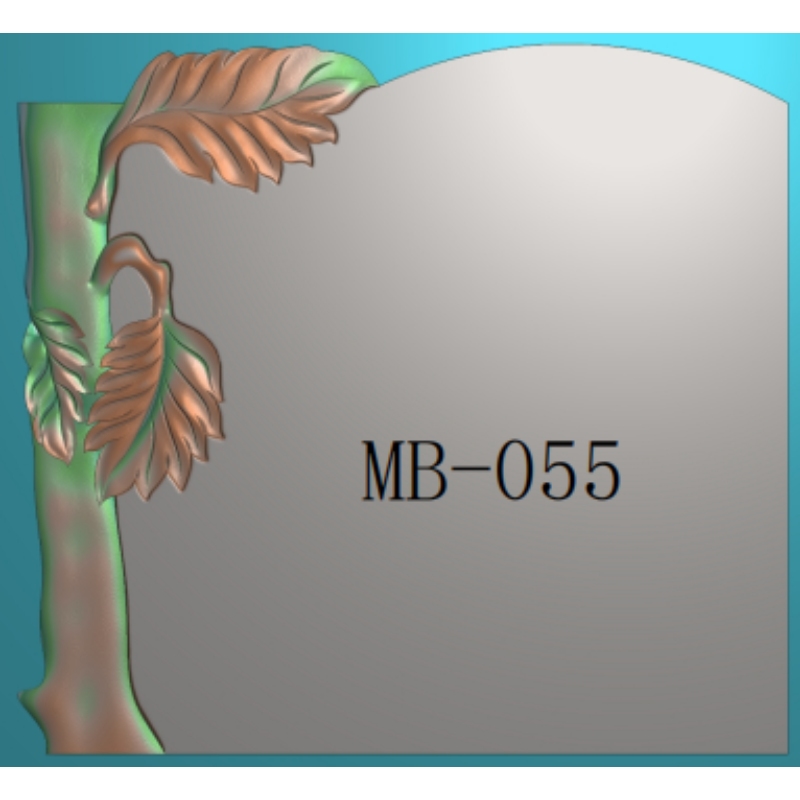
    Many first-time buyers worry about one question before investing in a CNC stone carving machine:   "I know how to sell stone products, but I don't know how to design. Can I still use the machine?"   The answer is absolutely yes.   In fact, many successful stone fabrication businesses are operated by owners who have never created a CAD drawing from scratch. Modern Smart CNC stone carving machine is no longer limited to professional designers. With the right machine supplier, you can start production quickly without mastering complex design software.   Let's look at how.   Why Design Isn't the Biggest Challenge Anymore Years ago, operating a stone engraving machine required strong CAD/CAM skills. Every carving pattern had to be drawn manually, converted into machining paths, and repeatedly tested before production.   Today, things are different. Most carving jobs begin with an existing digital design, and reliable machine manufacturers provide the resources and technical support needed to help customers get started immediately.   Your job is to receive customer orders. Our job is to help turn those ideas into machinable files.   1. Ready-to-Use Stone Design Library To reduce your startup time, we provide customers with a practical collection of commonly used carving files.   The library includes designs such as: Tombstone layouts Memorial monument patterns Religious carvings Decorative relief artwork Border ornaments Floral and geometric designs Letter engraving templates Popular market patterns Instead of creating designs from zero, you simply: Import the file → Set machining parameters → Start carving. This allows new operators to produce professional-looking products from the very first day.   2. Send Us Your Idea—We'll Create the Carving File Every customer has unique requirements. Some send us: A photo from their phone A hand sketch A picture from social media An existing stone product A customer reference image Our technical team can convert these ideas into CNC carving files suitable for production.   Whether you're producing: Customized tombstones Memorial portraits Decorative wall panels Religious sculptures Architectural ornaments Personalized stone artwork we can help prepare the machining file so you don't need to become a professional designer. This saves valuable time while reducing trial-and-error during production. 3. JD Paint Software Is Designed for Beginners Many buyers worry that CNC software will be difficult to learn.   Fortunately, JD Paint is designed with practical production in mind.   For most standard stone carving projects, the basic workflow is surprisingly simple: Step Operation Step 1 Import the carving file Step 2 Select the machining area Step 3 Set engraving depth Step 4 Set feed speed and spindle parameters Step 5 Generate the toolpath Step 6 Start machining Most new operators become familiar with these basic operations after only a few practice sessions. To make learning even easier, we provide: Installation guidance Software tutorials Operation videos Remote technical support Online troubleshooting After-sales assistance whenever needed You don't have to learn everything alone.   4. Experience Matters More Than Drawing Skills Successful stone factories usually divide responsibilities.   For example: Sales staff communicate with customers. Designers prepare or modify artwork. Machine operators handle production. Quality inspectors check finished products. Even in small workshops, one person rarely performs every task. As your business grows, design can always be outsourced or supported by your machine supplier. The important thing is having a reliable production system—not becoming an expert graphic designer.   Common Questions From New Buyers Q1: Do I need to learn AutoCAD before buying a CNC stone machine? No. While CAD knowledge can be useful for advanced customization, it is not required for daily production. Most customers begin with ready-made files and gradually learn more as their business expands.   Q2: Can I carve customer logos or portraits? Yes. Simply provide the image or artwork, and it can be converted into a CNC-compatible carving file for machining.   Q3: Will I receive software training? Yes. We provide operation manuals, video tutorials, and technical guidance to help you quickly understand the workflow.   Q4: What if I encounter software problems later? Our after-sales engineers offer remote technical support whenever assistance is needed, helping minimize downtime and keep your production running smoothly.   Final Thoughts Buying a Easy Learning stone CNC carving machine does not mean you must become a professional designer.   With ready-made carving libraries, custom file creation services, beginner-friendly software, and complete technical support, even first-time users can start producing quality stone products with confidence.   The most important skill isn't drawing. It's understanding your customers' needs.   Leave the technical details to an experienced machine supplier, and focus on growing your stone business.   At Quanzhou Jinzuan Technology Co., Ltd., we don't just supply CNC stone carving machines—we provide the design resources, training, and long-term technical support that help our customers succeed from day one.
    Read More
  • Is Installing a Stone Carving Machine Difficult?
    Is Installing a Stone Carving Machine Difficult?
    Jun 25, 2026
    A Complete Guide for First-Time Buyers When purchasing a CNC stone carving machine, many customers focus on machining accuracy, spindle power, and processing capability. However, one common question often appears before placing an order:   “Is the machine installation complicated? Can we install it by ourselves?”   For many small and medium stone processing workshops, installation difficulty directly affects production startup time and labor costs. The good news is that modern CNC stone carving machines are designed with a more user-friendly structure, making installation much easier than many buyers expect.   Why Do Buyers Worry About CNC Stone Machine Installation? Traditional industrial equipment often requires complicated assembly, professional electricians, and multiple technicians for wiring and adjustment. This creates concerns such as: Do I need to hire a professional engineer? Is the electrical connection complicated? How long will installation take? Will incorrect installation affect machine accuracy? For a well-designed stone carving machine, these concerns can be minimized through integrated machine design and simplified setup procedures.   Modern Stone Carving Machines Are Designed for Easy Installation A reliable CNC stone carving machine is usually delivered with the main electrical components already integrated.   The control system is installed inside the machine structure before shipment, which means:   No complicated wiring. No complicated electrical assembly.   After receiving the machine, users mainly need to complete several basic steps:   1. Place the Machine on a Stable Foundation First, move the machine frame to the prepared working area. A flat and solid floor is important because: It helps maintain machining stability It reduces vibration during engraving It supports long-term accuracy After positioning the machine, adjust the leveling feet to make sure the machine body is balanced.   2. Connect the Water Cooling System For stone CNC machines equipped with water-cooled spindles, the water chiller is usually packed separately during transportation. Installation only requires: Connecting the inlet and outlet water hoses Checking that the water circulation direction is correct Filling the chiller with suitable coolant The cooling system helps maintain stable spindle temperature during long engraving operations.   3. Power On and Perform a Basic Test After connecting the power supply: Turn on the water chiller Start the machine control system Check the machine movement Test the spindle operation If everything works normally, the machine is ready for production. For experienced operators, the whole process can often be completed in around one hour.   Do You Need Professional Technicians? For standard stone carving machines, installation does not always require a large technical team. One trained operator can complete the basic setup by following: Installation manuals Video instructions Remote technical support For customers who are familiar with machinery operation, self-installation is usually practical. For larger machines or customized production lines, professional installation service may still be recommended to ensure faster commissioning.   What Should You Prepare Before the Machine Arrives? To make installation smoother, buyers can prepare in advance: Suitable Workshop Space Make sure there is enough room for: Machine placement Material loading Operator movement Maintenance access   Stable Power Supply Prepare the correct voltage according to the machine specification. A stable electrical environment helps protect: CNC controller Spindle motor Drive system   Water and Drainage Arrangement For water-cooled systems, prepare a convenient location for: Coolant filling Water circulation Regular maintenance   Common Installation Mistakes to Avoid Even though installation is simple, some details still matter.   Installing on Uneven Ground An unstable foundation may cause: Increased vibration Reduced machining quality Long-term mechanical stress   Running the Spindle Without Checking Cooling Water Before spindle operation, always confirm that coolant circulation is working properly.   Ignoring Machine Leveling Proper leveling helps maintain cutting and engraving accuracy, especially for detailed stone carving work.   FAQ Q1: Can one person install a stone carving machine? Yes. For standard models, one person can handle basic installation with proper preparation and guidance.   Q2: Do I need to connect many wires after receiving the machine? Usually no. The control box is integrated with the machine before shipment. Users mainly need to connect the power supply and cooling system.   Q3: How long does installation take? For experienced users, basic setup can often be completed within about one hour.   Q4: Does installation affect machine accuracy? Yes. Proper leveling and correct setup help maintain machining precision and stable operation.   Q5: Can suppliers provide installation support? Yes. Many manufacturers provide installation videos, operation manuals, and remote technical assistance.   Conclusion: Easy Installation Means Faster Production A CNC stone carving machine does not have to be difficult to install. With an integrated control system, simplified connections, and clear guidance, many users can complete the basic setup without complicated technical knowledge.   For workshops that want to start production quickly, choosing a machine with a user-friendly installation design can reduce downtime and make CNC stone processing more accessible.   Easy installation is not only about convenience — it is also an important part of improving production efficiency from day one.    
    Read More
  • How to Select the Right Spindle Power for Stone CNC Machines
    How to Select the Right Spindle Power for Stone CNC Machines
    Jun 16, 2026
    When purchasing a stone CNC machine, many buyers focus on machine size, controller systems, or guide rails while overlooking one of the most critical components—the spindle.   The spindle is the "heart" of a Industrial CNC Stone Machine. Its power directly affects cutting speed, engraving efficiency, tool life, surface finish quality, and even long-term operating costs.   Choosing a spindle that is too small can result in slow production, frequent overload alarms, and reduced productivity. On the other hand, selecting an oversized spindle may lead to unnecessary investment, higher electricity consumption, and increased maintenance costs.   So, how do you determine the right spindle power for your stone processing needs?   This guide explains the differences between spindle power options, practical application scenarios, and the key factors stone fabricators should consider before purchasing a CNC stone machine.   Why Spindle Power Matters The spindle provides the rotational force that drives cutting tools, engraving bits, polishing tools, and milling cutters. In stone processing applications, spindle power influences: Material removal rate Cutting depth capability Tool lifespan Surface finish quality Processing speed Machine stability under heavy loads For example: A 5.5kW spindle may successfully engrave granite lettering but struggle when performing deep 3D relief carving on dense black granite for 10 consecutive hours. Meanwhile, an 11kW spindle can maintain stable torque and temperature under the same workload, reducing processing time by approximately 20%-35%. For workshops operating continuously, spindle selection directly impacts production capacity.   Common Spindle Power Options for Stone CNC Machines The most common spindle powers in the stone industry include: Spindle Power Typical Applications 3.0kW - 4.5kW Light engraving, marble lettering, small crafts 5.5kW Standard stone engraving and relief carving 7.5kW Mixed carving and cutting operations 9.0kW Heavy-duty granite processing 11kW Industrial-scale carving and cutting 15kW+ Large-scale production and deep machining Each option serves different production requirements.   Application Scenario Analysis Scenario 1: Tombstone Manufacturing Most tombstone factories process: Portrait engraving Letter carving Decorative borders Relief artwork Common materials: Granite Black granite G654 granite India Black granite Recommended spindle: 5.5kW to 7.5kW Reason: These operations require precision rather than aggressive material removal. A 5.5kW spindle can easily perform: 3D portrait engraving V-groove lettering Fine relief carving while maintaining excellent detail quality.   Scenario 2: Architectural Decoration Production Products include: Stone wall panels Decorative columns Fireplace surrounds Luxury hotel stone artworks Materials: Marble Travertine Limestone Artificial stone Recommended spindle: 7.5kW to 11kW Reason: These projects often involve larger tools and deeper cutting depths. For example: When carving a 2-meter marble column continuously for 48 hours, an 11kW spindle provides stronger torque and better thermal stability than a 5.5kW spindle.   Scenario 3: Granite Countertop Manufacturing Operations include: Sink cutouts Edge profiling Drilling Slot milling Recommended spindle: 9kW to 11kW Reason: Granite is significantly harder than marble. Higher spindle power helps maintain cutting efficiency while reducing tool wear. In practical production environments, factories using 11kW spindles often achieve 20%-30% faster machining speeds than facilities using 5.5kW units on identical granite countertops.   Scenario 4: Large-Scale Stone Sculpture Production Products include: Garden sculptures Religious statues Monument sculptures Urban landscape projects Recommended spindle: 11kW to 15kW Reason: These applications require extensive rough machining before fine finishing. A high-power spindle removes large volumes of material more efficiently, significantly reducing roughing time. For example: A 1.8-meter granite statue may require removing over 300kg of material during rough processing. An 11kW spindle can reduce rough machining time by several hours compared with a 5.5kW spindle.   Comparison: Low-Power vs High-Power Spindles Factor Low-Power Spindle (5.5kW) High-Power Spindle (11kW) Initial Cost Lower Higher Energy Consumption Lower Higher Granite Processing Moderate Excellent Deep Relief Carving Acceptable Excellent Tool Life Average Longer Production Efficiency Moderate High Continuous Operation Limited Strong Industrial Production Not Ideal Recommended The best spindle is not necessarily the most powerful one. The best spindle is the one that matches your actual production requirements.   Key Questions to Ask Before Choosing Spindle Power Before purchasing a stone CNC machine, answer these questions: What materials will you process?  Harder materials generally require higher spindle power. How many hours will the machine run daily? For continuous industrial production, larger spindle power usually provides greater reliability. What is your primary operation? Heavy cutting operations demand more spindle power than decorative engraving. What are your future expansion plans? Selecting a slightly larger spindle today can prevent costly upgrades later.   Common Mistakes Buyers Make Mistake 1: Choosing the Cheapest Option Some buyers focus only on machine price. A spindle that saves $500 initially may cost thousands in productivity losses over several years.   Mistake 2: Assuming Bigger Is Always Better An oversized spindle increases: Purchase cost Electricity consumption Maintenance expenses without providing meaningful benefits for light-duty applications.   Mistake 3: Ignoring Material Hardness A spindle suitable for marble may struggle significantly when processing dense granite. Always choose based on the hardest material you expect to machine.   How Professional Stone Factories Select Spindles Experienced fabricators usually follow this logic: Mainly Marble + Light Engraving → 5.5kW Spindle   Mixed Marble and Granite Production → 7.5kW to 9kW Spindle   Granite Countertops + Deep Carving → 11kW Spindle   Industrial Sculpture Production → 11kW to 15kW Spindle This approach balances efficiency, cost, and long-term reliability.   Frequently Asked Questions Q1: Is a 5.5kW spindle enough for granite? Yes, for lettering, portrait engraving, and light relief carving. However, for heavy granite cutting or deep 3D carving, 7.5kW to 11kW is generally recommended.   Q2: Does higher spindle power always mean faster machining? Not necessarily. Machining speed also depends on: Tool quality Feed rate Controller system Machine rigidity Cooling system Spindle power is only one part of overall performance.   Q3: What spindle power is best for a stone engraving business? For most engraving-focused workshops, a 5.5kW or 7.5kW spindle provides an excellent balance between cost and productivity.   Q4: How long can an 11kW spindle run continuously? A high-quality industrial spindle with proper cooling can operate continuously for multiple shifts while maintaining stable performance. Actual lifespan depends on maintenance, operating environment, and workload.   Final Thoughts Selecting the right spindle power is one of the most important decisions when purchasing a Reliable Stone CNC Machine. Instead of simply choosing the lowest-cost or highest-power option, evaluate: Material type Production volume Processing depth Daily operating hours Future business expansion plans For most stone fabrication shops, a 5.5kW to 11kW spindle covers the majority of production needs. Matching spindle power to your actual applications will improve efficiency, extend tool life, reduce downtime, and maximize return on investment. A properly selected spindle is not just a machine component—it is a long-term productivity investment for your stone processing business.
    Read More
  • Hidden Costs When Buying CNC Machines
    Hidden Costs When Buying CNC Machines
    Jun 09, 2026
    What Most Buyers Overlook When purchasing a CNC machine, most buyers focus on one thing first: the machine price.   A supplier offers a CNC machine for $15,000, while another quotes $20,000 for a seemingly similar model. Naturally, many buyers are tempted by the lower price.   However, experienced manufacturers know that the purchase price is only part of the total investment.   The real cost of a CNC machine includes installation, tooling, maintenance, software, training, downtime, spare parts, energy consumption, and many other factors that may not appear on the quotation sheet.   In fact, a machine that costs 20% less initially can sometimes cost 50% more over its service life.   This article explores the hidden costs of buying CNC machines and explains how to evaluate the true long-term value of a machine before making a purchasing decision.   Why Focusing Only on Machine Price Can Be Expensive Imagine two stone fabrication companies purchasing Cost-Effective CNC stone carving machines. Machine A Purchase Price: $18,000 Standard spindle Basic control system Limited technical support Machine B Purchase Price: $24,000 Industrial-grade spindle Advanced motion control Remote diagnostics Comprehensive training At first glance, Machine A appears to save $6,000. However, after three years: Cost Item Machine A Machine B Initial Purchase $18,000 $24,000 Spare Parts $4,500 $1,500 Downtime Losses $8,000 $2,000 Operator Training $2,000 Included Software Upgrades $2,500 Included Total Cost $35,000 $27,500 The cheaper machine ultimately becomes the more expensive investment.   This is why professional buyers evaluate Total Cost of Ownership (TCO) rather than focusing solely on purchase price.   1. Installation and Commissioning Costs Many CNC buyers underestimate setup expenses. Depending on machine size and configuration, installation may require: Foundation preparation Electrical modifications Air compressor systems Water recycling systems Crane or forklift rental Technician travel expenses Example A large bridge saw or 5-axis stone CNC machine may require: 380V industrial power supply Reinforced concrete foundation Cooling water circulation system These additional requirements can add several thousand dollars to the project budget. Before purchasing, always ask suppliers: Is installation included? Are travel expenses included? What site preparation is required?   2. Tooling Costs Are Often Underestimated The machine itself cannot produce parts without tools. For stone processing, tooling may include: Diamond blades Milling cutters Engraving bits Profiling wheels Polishing tools Many first-time buyers budget for the machine but forget that tooling is a recurring expense. Real Example A stone workshop producing granite countertops may consume: 3–6 diamond tools per month Multiple polishing wheels annually Replacement cutting blades every few months Over several years, tooling costs can equal a significant percentage of the machine's purchase price.   3. Software Licensing Fees Modern Industrial CNC machines increasingly rely on specialized software. Some suppliers provide software permanently. Others charge annual licensing fees. Common software expenses include: CAD software CAM software Nesting software Toolpath generation software Remote monitoring platforms Software Model Cost Structure Lifetime License One-time payment Subscription License Annual recurring fees Cloud-Based Platform Monthly fees Always verify: Is software permanently licensed? Are future upgrades free? What happens if the subscription expires?   4. Operator Training Costs Even the best CNC machine cannot perform well without trained operators. Many manufacturers discover that insufficient training leads to: Material waste Tool breakage Programming mistakes Production delays Example A stone carving machine may achieve ±0.1mm accuracy under normal operation. However, an inexperienced operator can easily generate toolpath errors that waste expensive marble or granite slabs. Comprehensive training often provides a much better return than choosing the cheapest machine.   5. Downtime Can Be More Expensive Than Repairs One hidden cost that buyers rarely calculate is downtime. When a machine stops working: Production stops Deliveries are delayed Employees remain idle Customer satisfaction suffers Practical Scenario A stone factory producing custom kitchen countertops may lose multiple projects if a CNC machine remains offline for one week waiting for replacement parts. The actual cost is not the repair itself. The real cost is lost production. When evaluating suppliers, ask: Do they provide remote troubleshooting? Are spare parts stocked locally? What is the average response time?   6. Spare Parts Availability Low-cost CNC machines often use components that are difficult to source internationally. Common replacement items include: Servo drives Motors Sensors Spindles Bearings Control boards If replacement parts require weeks of shipping time, production disruptions can become extremely costly. A reliable supplier should provide: Spare parts inventory Technical documentation Long-term support commitments   7. Energy Consumption Costs Energy expenses accumulate every day. Industrial CNC machines may operate: 8 hours per day 16 hours per day 24-hour continuous production Over time, differences in efficiency become significant. Example A stone cutting machine operating 12 hours daily may consume thousands of kilowatt-hours each month. Machines equipped with: High-efficiency motors Intelligent power management Variable frequency drives often reduce long-term operating costs considerably.   8. Quality Problems and Material Waste Machine precision directly impacts profitability. Poor machine stability can cause: Incorrect dimensions Surface defects Excessive chipping Rejected products Stone Processing Example When processing premium marble slabs worth hundreds or thousands of dollars, a single cutting error can exceed the cost of several machine maintenance visits. Higher machine accuracy often means lower material waste.   9. Future Upgrade Costs Production requirements change over time. A machine that cannot be upgraded may become obsolete much faster. Important upgrade options include: Automatic tool changers Additional axes Vision systems Automation modules Smart factory integration Machines designed with expansion capability generally provide better long-term value.   How to Identify a CNC Supplier with Lower Long-Term Costs Instead of asking only: "What is the machine price?" Ask: What is the expected machine lifespan? How quickly can spare parts be delivered? What training is included? Are software updates free? What maintenance is required annually? What is the average downtime rate? Can the machine be upgraded in the future? What technical support is available after installation? These questions often reveal more value than the quotation itself.   Conclusion The price tag on a CNC machine tells only part of the story.   The most successful manufacturers evaluate the complete lifecycle cost of the equipment, including installation, tooling, software, training, maintenance, spare parts, energy consumption, and downtime risks.   A machine that appears more expensive initially may ultimately deliver lower operating costs, higher productivity, and a faster return on investment.   Before signing a purchase agreement, look beyond the quotation and calculate the true cost of ownership. Doing so can save your business thousands of dollars and prevent costly surprises in the years ahead.
    Read More
  • How to Optimize Your Stone Production Workflow
    How to Optimize Your Stone Production Workflow
    Jun 02, 2026
    A Practical Guide to Increasing Efficiency, Reducing Costs, and Improving Stone Processing Quality In today's highly competitive stone industry, profitability depends on more than just having skilled workers and quality materials. The efficiency of your production workflow directly impacts delivery times, labor costs, product consistency, and customer satisfaction.   Whether you operate a stone fabrication shop, monument factory, countertop workshop, architectural stone processing facility, or large-scale stone manufacturing plant, optimizing your production workflow can significantly improve productivity while reducing operational expenses.   This guide explores practical strategies, equipment upgrades, and workflow improvements that can help stone manufacturers maximize output and stay competitive in the global market.   Why Workflow Optimization Matters in Stone Processing Many stone factories focus on purchasing new machines but overlook the inefficiencies hidden within their production processes. Common workflow problems include: Excessive manual handling of stone slabs Repeated measurements and layout errors Machine downtime due to poor scheduling Bottlenecks between cutting, carving, and polishing stages High labor dependency Material waste caused by inaccurate cutting For example, a factory processing granite memorials may spend more time moving stone between workstations than actually machining it. In some cases, production delays are caused not by machine speed but by poor workflow planning. Optimizing workflow helps manufacturers: ✓ Increase daily production capacity ✓ Reduce labor costs ✓ Minimize material waste ✓ Improve product consistency ✓ Shorten delivery times ✓ Increase profit margins   Step 1: Analyze Your Existing Production Process Before investing in new equipment, evaluate your current workflow. Map every production stage: Material Receiving——Stone Storage——Slab Loading——Cutting——Carving——Edge Profiling——Polishing——Quality Inspection——Packaging——Shipping Track: Processing time at each stage Waiting time between operations Machine utilization rates Labor requirements Material waste percentages Many factories discover that bottlenecks occur at only one or two stages, making targeted improvements far more cost-effective than a complete equipment replacement.   Step 2: Automate Repetitive Operations Manual operations often create the largest productivity losses.   Example: Manual Layout vs CNC Processing Process Manual Method CNC Method Measuring Operator-dependent CAD/CAM controlled Cutting Accuracy Varies by worker Consistent and precise Production Speed Slower Faster Material Waste Higher Lower Repeatability Limited Excellent Labor Requirement More operators needed Fewer operators required Complex Designs Difficult and time-consuming Easily automated A CNC stone engraving machine can automatically process complex relief carvings, decorative borders, lettering, and 3D sculptures with minimal operator intervention.   For example, a Heavy-Duty Stone CNC Router can continuously process granite and marble patterns for multiple hours while maintaining consistent dimensional accuracy, reducing the need for rework.   Step 3: Reduce Material Handling Time Moving stone is often one of the most time-consuming activities in a workshop. Heavy slabs may be transferred multiple times before completion. To improve efficiency: Position machines according to production sequence. Use vacuum lifters and slab handling systems. Create dedicated loading and unloading zones. Minimize unnecessary transportation routes. Optimized Workflow Example Traditional Layout: Storage → Cutting → Storage → Carving → Storage → Polishing Optimized Layout: Storage → Cutting → Carving → Polishing → Packaging Reducing unnecessary movement can save dozens of labor hours each week.   Step 4: Invest in Multi-Function Stone Machinery One of the most effective ways to streamline production is to use equipment capable of performing multiple operations. Traditional Setup Bridge Saw Profiling Machine Engraving Machine Drilling Machine Integrated CNC Solution A modern stone CNC machining center can perform: Cutting, Milling, Engraving, Drilling, Profiling, Relief carving By reducing machine transfers, manufacturers improve workflow continuity and reduce labor requirements. For custom countertop fabrication, monument production, and architectural stone projects, integrated processing often delivers significantly higher efficiency.   Step 5: Optimize Tool Management Tool wear directly affects machining quality and production efficiency. Signs of poor tool management include: Chipped edges Rough surface finishes Slower cutting speeds Increased machine vibration Practical Example A worn diamond tool may increase cutting time by 20–30% while producing lower-quality results. Best practices include: Scheduled tool inspections Tool life tracking Proper storage conditions Using application-specific diamond tools For example: Granite carving requires different tooling than marble carving. Thick monument stones require different cutting parameters than thin decorative panels.   Step 6: Implement Digital Production Planning Many factories still rely on paper schedules and verbal instructions. Digital production management provides: Real-time job tracking Machine scheduling Production reporting Inventory monitoring Delivery planning Benefits include: Reduced communication errors Better machine utilization Improved delivery reliability When multiple CNC machines operate simultaneously, digital planning can significantly reduce idle time and production conflicts.   Step 7: Reduce Rework Through Quality Control Rework is one of the most expensive hidden costs in stone manufacturing. Common causes include: Incorrect dimensions Design mistakes Surface defects Poor polishing consistency Implement inspections at key stages: Before Cutting Verify: Stone dimensions Material quality CAD drawings Before Polishing Verify: Surface quality Profile accuracy Engraving depth Before Packaging Verify: Final dimensions Finish quality Customer specifications Early detection prevents costly reprocessing later.   Step 8: Use Specialized Machines for High-Volume Production Different applications require different equipment. Countertop Production Recommended Equipment: Bridge Saw CNC Machining Center Edge Polishing Machine Monument Production Recommended Equipment: Stone Engraving Machine Laser Engraving Machine Tombstone Polishing Machine Architectural Decoration Recommended Equipment: Waterjet Cutting Machine CNC Stone Carving Machine Profiling Machine Choosing the right machine for each production task improves throughput and reduces bottlenecks.   Frequently Asked Questions (FAQ) Q1: What is the fastest way to improve stone production efficiency? The quickest improvement often comes from identifying bottlenecks and automating repetitive operations such as cutting, engraving, or profiling.   Q2: Does a CNC stone machine really reduce labor costs? Yes. One skilled operator can often supervise multiple automated processes, reducing dependence on large production teams while improving consistency.   Q3: How can I reduce stone material waste? Accurate CAD/CAM programming, optimized nesting layouts, and precision CNC cutting help maximize material utilization.   Q4: Which stone processing stage usually causes delays? In many factories, polishing and manual finishing create the largest bottlenecks due to labor-intensive operations.   Q5: Is workflow optimization more important than buying new machines? Often, yes. Improving production layout and process management can generate significant efficiency gains before major equipment investments are required.   Final Thoughts Optimizing your stone production workflow is not simply about working faster—it's about creating a smarter, more efficient manufacturing system.   By analyzing bottlenecks, reducing material handling, automating repetitive tasks, implementing digital planning, and investing in the right stone processing equipment, manufacturers can increase output, improve quality, and strengthen their competitive position in the global market.   As demand for customized stone products continues to grow, factories that combine advanced stone machinery with efficient production management will be best positioned for long-term success.
    Read More
  • Is Infrared Laser Guidance Necessary for Accurate Stone Cutting?
    Is Infrared Laser Guidance Necessary for Accurate Stone Cutting?
    May 26, 2026
    In modern stone fabrication, precision is no longer just a competitive advantage — it is a basic requirement. Whether processing granite countertops, marble slabs, quartz surfaces, tombstones, or architectural stone panels, customers expect clean edges, exact dimensions, and minimal material waste.   One feature that many buyers notice when choosing a stone cutting machine is infrared laser guidance. Some suppliers promote it as an essential accuracy tool, while others treat it as an optional accessory. This raises an important question:   Is infrared laser guidance truly necessary for accurate stone cutting, or is it simply a convenience feature? The answer depends on the cutting application, operator experience, production volume, and the level of precision required. In this article, we will explain how infrared laser guidance works, where it delivers real value, and when a stone factory can operate efficiently without it.   What Is Infrared Laser Guidance in Stone Cutting Machines? Infrared laser guidance is a positioning system installed on stone bridge saws, edge cutting machines, and manual cutting equipment. It projects a visible laser line directly onto the stone surface, allowing operators to align the blade path before cutting. The system is commonly used on: Infrared bridge saw machines Manual stone cutting machines CNC bridge saws Granite slab cutting equipment Marble tile cutting machines Stone edge trimming machines The laser line acts as a visual reference. Before the blade touches the material, the operator can verify: Cutting direction Alignment accuracy Slab positioning Cutting angle Material waste area In many factories, especially those processing expensive natural stone, this simple visual aid significantly reduces human positioning errors.   How Infrared Laser Guidance Improves Cutting Accuracy Although the laser itself does not physically cut the stone, it helps operators achieve more precise positioning before cutting begins. 1. Reduces Manual Alignment Errors Without laser guidance, operators often rely on: Measuring tapes Chalk lines Hand marking Visual estimation These methods depend heavily on operator experience. Infrared guidance provides a direct cutting reference line, helping operators align the blade faster and more accurately. For example: In a countertop processing workshop cutting quartz slabs worth over $500 per piece, even a 3–5 mm positioning mistake may ruin sink openings or backsplash alignment. Infrared laser positioning helps reduce these risks before cutting starts.   2. Improves Efficiency During Repetitive Cutting Factories processing large production volumes benefit greatly from faster alignment. For example: A stone workshop producing 200–300 marble tiles daily can save several seconds on every alignment operation. Over a full production shift, infrared guidance may reduce setup time by more than 15%. This is especially valuable for: Tile production Tombstone processing Standard-size slab cutting Batch fabrication orders   3. Helps New Operators Work More Confidently Experienced operators can often align cuts manually with high accuracy. However, new workers may struggle with: Reading blade positions Understanding offset distances Maintaining consistent alignment Infrared guidance shortens the learning curve. Factories facing labor shortages or high employee turnover often prefer machines equipped with laser guidance because training becomes easier and production consistency improves.   Is Infrared Laser Guidance More Important Than Machine Structure? No. This is one of the biggest misunderstandings in the stone machinery market. Many buyers focus heavily on laser positioning while ignoring the machine’s actual mechanical quality.   In reality, cutting accuracy depends primarily on: Factor Influence on Accuracy Machine frame stability Extremely high Linear guide quality Extremely high Spindle vibration control Extremely high Blade quality High Servo motor precision High Cooling system stability Medium Infrared laser guidance Supportive only A poorly built machine with laser guidance will still produce inaccurate cuts. Meanwhile, a High-rigidity Bridge Saw with stable rails and quality servo systems can achieve excellent precision even without infrared assistance. For example: A heavy-duty granite bridge saw with a reinforced cast-iron structure operating continuously for 72 hours in a high-temperature workshop may maintain cutting deviation within ±0.5 mm because of structural rigidity — not because of the laser itself.   Infrared Laser Guidance vs CNC Automatic Positioning Modern stone factories increasingly compare traditional infrared bridge saws with CNC bridge saw machines.   Here is the practical difference: Infrared Laser Guidance CNC Automatic Positioning Manual alignment assistance Fully automatic positioning Lower cost Higher investment Suitable for small workshops Suitable for mass production Depends on operator skill Reduced human intervention Faster installation Higher automation complexity Good for simple straight cuts Excellent for complex cutting patterns For small and medium-sized fabrication shops, infrared bridge saws remain highly popular because they offer a good balance between affordability and operational efficiency.   However, for factories producing customized countertops, sink cutouts, and irregular stone shapes, CNC bridge saws provide superior repeatability and automation.   Common Situations Where Infrared Guidance Is Especially Useful 1. Marble Slab Cutting Marble often contains natural veins and color variations. Operators use infrared lines to optimize cutting direction and preserve visual aesthetics.   2. Tombstone Manufacturing Symmetrical engraving borders and edge cuts require accurate positioning to maintain consistency across batches.   3. Quartz Countertop Processing Laser guidance helps align sink holes, faucet openings, and edge trimming before final cutting.   4. Thin Tile Production Thin ceramic and stone tiles are more sensitive to alignment deviations. Infrared positioning reduces edge waste and cracking risks.   Situations Where Infrared Guidance May Be Less Important Infrared systems are useful, but not every workshop absolutely needs them.   1. Fully Automated CNC Production Lines: Modern CNC systems already calculate and control cutting paths digitally. In these cases, the operator relies more on software calibration than visual laser alignment.   2. Experienced Master Operators: Some highly experienced operators can manually align slabs very accurately using traditional measurement methods.   3. Low-Precision Rough Cutting: For rough block cutting or preliminary slab sizing, laser guidance may provide limited additional value.   Does Infrared Guidance Affect Cutting Speed? Indirectly, yes. The laser itself does not increase blade rotation speed or feed speed. However, it reduces: Repositioning time Measuring time Alignment corrections Operator hesitation This improves overall workflow efficiency. For example: A factory processing 50 granite countertops daily may save 1–2 labor hours per shift simply by reducing repeated measurements and alignment adjustments. Over a year, this operational efficiency improvement becomes financially meaningful.   Frequently Asked Questions (FAQ) Q1: Can infrared laser guidance improve actual blade precision? No. The laser helps with positioning accuracy before cutting. Actual cutting precision still depends on machine rigidity, blade quality, rail systems, and spindle stability.   Q2: Is infrared guidance necessary for granite cutting? It is highly recommended, especially for expensive granite slabs where positioning mistakes can cause costly waste.   Q3: Does laser guidance require frequent maintenance? Usually not. Most systems only require occasional calibration and lens cleaning.   Q4: Can infrared systems work in dusty stone workshops? Yes, but industrial-grade sealed laser systems perform better in environments with heavy dust and water spray.   Q5: Is infrared guidance suitable for beginners? Absolutely. It helps reduce operator training difficulty and improves confidence during machine operation.   How to Choose a Stone Cutting Machine Beyond Laser Features When evaluating a stone cutting machine, professional buyers should focus on the complete system instead of only the laser feature. Important evaluation factors include: Machine body structure thickness Rail and guide brand quality Servo motor stability Cutting blade compatibility Water cooling efficiency Electrical system reliability Software integration After-sales technical support Spare parts availability Laser calibration stability A reliable supplier should provide: Real factory operation videos Long-hour continuous cutting demonstrations Accuracy testing reports Customer project references Export experience for your market These factors build long-term production reliability far more than a single accessory feature.   Final Verdict: Is Infrared Laser Guidance Necessary? Infrared laser guidance is not the core source of cutting precision — but it is an extremely practical tool that improves positioning efficiency, reduces operator errors, and enhances workflow consistency.   For most stone fabrication workshops, especially those processing valuable slabs or handling medium-to-high production volumes, infrared guidance offers clear operational benefits at relatively low cost.   However, buyers should understand that true cutting accuracy ultimately depends on the machine’s structural quality, motion control system, and overall engineering design.   The best approach is to view infrared laser guidance as a productivity-enhancing assistant rather than a replacement for high-quality machine manufacturing.
    Read More
  • How Can an Automatic Profiling Machine Reduce Your Labor Costs?
    How Can an Automatic Profiling Machine Reduce Your Labor Costs?
    May 20, 2026
    In today’s stone processing industry, rising labor costs and increasing competition are forcing factories to rethink how they produce stone borders, countertop edges, tombstone profiles, stair noses, and decorative moldings. Traditional manual profiling methods are no longer enough for companies that want consistent quality, faster delivery, and scalable production.   This is where an automatic stone profiling machine becomes a game changer. Whether you are producing granite countertop edges, marble decorative lines, cemetery stones, or customized architectural profiles, an automatic profiling machine can significantly reduce labor dependence while improving productivity and product consistency.   This article explains in detail how automatic profiling machines help stone factories lower operating costs, improve efficiency, and increase profitability.   What Is an Automatic Profiling Machine? An Automatic CNC Profiling Machine is a stone processing machine designed to automatically shape, grind, and polish stone edges or surfaces according to preset templates or programmed paths. These machines are widely used for: Granite countertop edge profiling Marble decorative molding production Tombstone edge shaping Stair edge processing Sink edge fabrication Curved stone line processing Window sill and border production Architectural stone decoration Compared with manual edge grinding, automatic profiling machines use CNC control systems, precision guide rails, and stable spindle motors to perform continuous and repeatable processing with minimal operator intervention.   Why Labor Costs Are Increasing in Stone Factories Many stone factories still rely heavily on manual labor for profiling work. However, several industry challenges are making this increasingly expensive: 1. Skilled Workers Are Harder to Find Experienced stone polishing and profiling workers require years of training. In many countries, younger workers are unwilling to enter dusty and physically demanding stone workshops. Factories often face: Labor shortages High recruitment costs Long training periods Worker turnover problems   2. Manual Processing Is Slow Traditional profiling usually involves: Manual measurement Repeated grinding Multiple polishing steps Frequent quality inspections A skilled worker may complete only a limited number of profiles per day, especially for complex shapes.   3. Human Error Causes Material Waste Inconsistent hand polishing can lead to: Uneven edge shapes Surface burn marks Dimension deviations Stone cracking For expensive marble or quartz slabs, even a small mistake can result in significant losses.   How an Automatic Profiling Machine Reduces Labor Costs 1. One Operator Can Manage Multiple Machines One of the biggest advantages of automation is labor reduction. With a traditional manual setup: One worker often handles one processing station. With an automatic profiling machine: One trained operator can supervise 2–4 machines simultaneously. This directly reduces: Worker salaries Overtime expenses Shift management pressure For example, a medium-sized countertop factory processing 200 linear meters per day may reduce its profiling workforce from 6 workers to 2 workers after upgrading to automatic equipment.   2. Continuous Automatic Processing Reduces Downtime Manual profiling work usually stops because of: Worker fatigue Break times Inconsistent operating speed Tool adjustment delays Automatic profiling machines can run continuously for long periods with stable performance. In real production environments, High-quality Profiling Machines can maintain stable profiling precision even during continuous multi-shift operation. This helps factories: Increase daily production output Shorten delivery times Accept larger orders without hiring more workers   3. Faster Processing Speed Improves Production Efficiency Automatic profiling machines use: High-speed spindle motors Automatic feeding systems Multi-head processing structures Programmable tool paths Compared with manual grinding, processing speed can increase significantly. Example Comparison Processing Method Average Daily Output Workers Required Manual Profiling 80–120 meters 4–6 workers Automatic Profiling Machine 250–400 meters 1–2 workers For factories handling large export orders, this productivity improvement can dramatically reduce per-unit labor costs.   4. Reduced Rework Saves Hidden Labor Expenses Rework is one of the most overlooked labor costs in stone processing. Manual profiling often creates: Inconsistent curves Uneven polishing gloss Edge asymmetry Size variation Automatic profiling machines use template tracking or CNC programming to maintain consistent shapes across every stone piece. This reduces: Secondary polishing Product rejection rates Customer complaints Return processing costs For export-oriented factories, consistency is especially important because overseas buyers usually require batch uniformity.   5. Lower Training Costs for New Workers Training an experienced manual stone profiling worker may take several months or even years. By contrast, modern automatic profiling machines are designed with: User-friendly control systems Touchscreen interfaces Automatic parameter settings Preset processing programs New operators can often learn basic machine operation within a much shorter time. This helps factories: Reduce training investments Quickly expand production capacity Maintain stable production during worker turnover   6. Automatic Tool Compensation Improves Accuracy Advanced profiling machines can automatically compensate for tool wear. This feature helps maintain: Stable profile dimensions Consistent polishing quality Uniform edge depth Without automatic compensation, manual operators must frequently stop production to manually adjust tools. This not only wastes labor time but also increases the risk of processing errors.   7. Lower Dependence on Highly Skilled Craftsmen Traditional stone profiling relies heavily on experienced craftsmen. However, factories that depend too much on individual workers face operational risks: Workers resign unexpectedly Skilled labor costs continue rising Production quality varies between operators Automation converts manual experience into standardized machine processing. This creates: Stable product quality Easier factory management Predictable production efficiency   Automatic Profiling Machine vs Manual Processing Factor Manual Processing Automatic Profiling Machine Labor Requirement High Low Production Speed Slow Fast Product Consistency Depends on worker skill Highly consistent Material Waste Higher Lower Training Difficulty High Moderate Long-Term Operating Cost Increasing More controllable Suitable for Mass Production Limited Excellent   Real Application Scenarios 1. Granite Countertop Factories Automatic profiling machines are widely used for: Bullnose edges Ogee edges Beveled countertop profiles Factories producing kitchen countertops for North American markets often require large-volume consistent edge processing. Automation helps them: Meet tight delivery schedules Reduce manual polishing teams Improve export competitiveness   2. Tombstone Manufacturing Workshops Cemetery stone production requires: Symmetrical decorative lines Smooth curved surfaces Consistent polishing quality Automatic profiling equipment improves repeatability while reducing dependence on experienced craftsmen. This is especially valuable during peak production seasons.   3. Architectural Stone Decoration Projects Large hotel, villa, and commercial building projects often involve: Decorative stone borders Roman columns Window frames Stair edges Automatic profiling machines help factories efficiently process large quantities of identical decorative components.   Frequently Asked Questions (FAQ) Q1: Can automatic profiling machines process both marble and granite? Yes. Most modern profiling machines can process: Marble, Granite, Quartz, Artificial stone, Limestone. Different tools and processing parameters are used depending on material hardness.   Q2: Is CNC programming difficult for profiling machines? Not necessarily. Many machines now use: Template-based operation Visual touchscreen interfaces Preset profile libraries Basic operation can usually be learned quickly.   Q3: How much labor can a factory realistically save? This depends on production scale and product type. However, many factories reduce profiling-related labor costs by 40%–70% after introducing automatic equipment.   Q4: What maintenance is required? Routine maintenance usually includes: Guide rail cleaning Lubrication Cooling system inspection Tool replacement Electrical system checks Proper maintenance helps ensure long-term stable operation.   How to Choose the Right Automatic Profiling Machine When selecting a profiling machine, buyers should evaluate: Processing Requirements Straight edges or curved profiles? Granite or marble? Mass production or customized processing? Machine Structure A heavy-duty machine frame provides: Better vibration resistance Higher precision Longer service life Automation Level Look for features such as: Automatic feeding CNC control Multi-head polishing Automatic tool compensation Supplier Experience Choose suppliers with: Stone industry experience Export experience Technical support capability Spare parts availability   Final Thoughts As labor costs continue rising worldwide, stone processing factories must improve efficiency to remain competitive. An Multi-Function Stone Profiling Machine is no longer just a production upgrade — it is a long-term cost control solution. By reducing manual dependence, improving processing consistency, increasing production speed, and minimizing material waste, automatic profiling machines help factories achieve: Lower labor costs Higher output Better product quality Faster order delivery Stronger market competitiveness For stone manufacturers aiming to expand production while controlling operational expenses, investing in automatic profiling technology is becoming an increasingly practical and profitable choice.    
    Read More
1 2 3 4
A total of4pages

leave a message

leave a message
If you are interested in our products and want to know more details,please leave a message here,we will reply you as soon as we can.
submit

Home

Products

WhatsApp

contact